The Internet’s Least Welcoming Treasure Chest Many of Our Problems Have Already Been Solved Here
Footnotes to the Floating World · The passing world, closely examined.
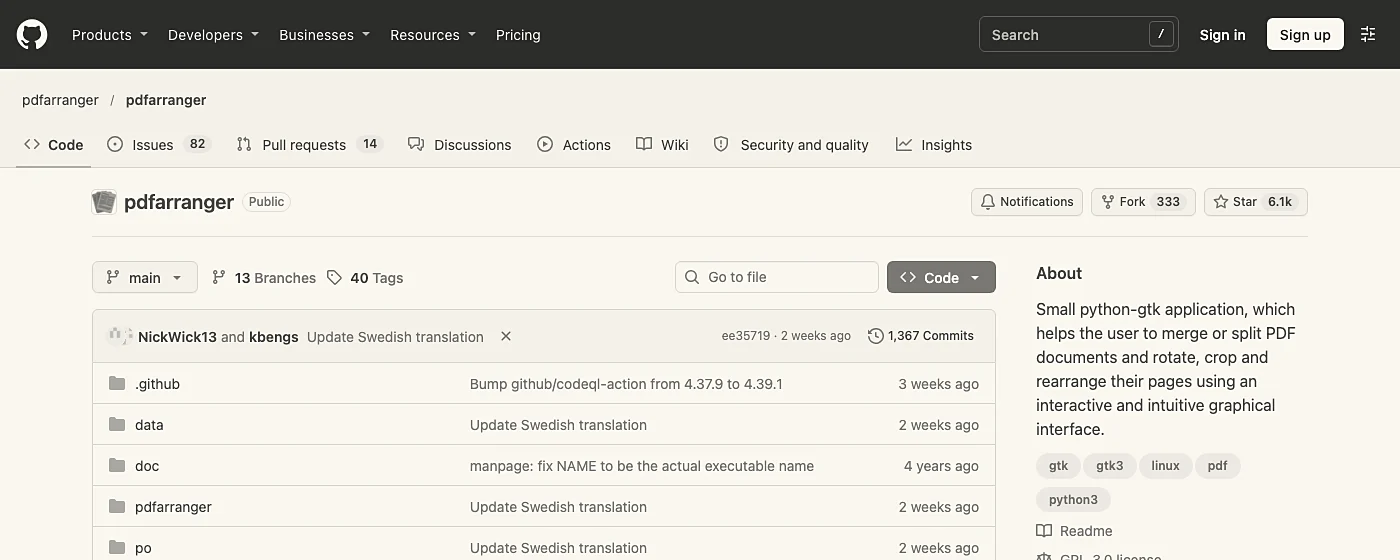
If you are not a programmer, your first accidental visit to GitHub (github.com) is seldom a heartwarming affair1.
There is no cheerful “Download Now” banner, no glossy carousel, and no chat bubble in the bottom corner asking how your day is going. Instead, you are greeted by an austere grey-and-white table packed with cryptic folders—src, docs, .gitignore, LICENSE—presided over from the top-left corner by the silhouette of a black cat with octopus tentacles1,2.
Most sensible people press the Back button within three seconds. The sensation is rather like intending to stop by a café for lunch, accidentally pushing open a side door marked Staff Only, and finding yourself staring awkwardly into the dishwashing bay.
One can scarcely blame it for its chilly demeanour. Founded in 2008, GitHub was built as a workshop where software engineers store code, track edits, and stop a colleague from quietly wrecking the entire programme before lunch2,3. When Microsoft paid $7.5 billion for it in 2018, it was buying the world’s largest gathering of coders2. Its storefront was designed by engineers, for engineers—which is a polite way of saying it serenely assumes you enjoy reading technical manuals over your morning toast.
Yet turning straight back out the door would be a quiet shame. Over the past decade and a half, GitHub has grown past a hundred million users and spilled far beyond programming2,3. Almost by accident, it has become humanity’s largest, oddest, and most delightfully uncommercial free tool bazaar and public library.
You do not need to recognise a single line of code to browse it with profit.
I. Three Bearings for Not Getting Lost in the Back Room
Exploring GitHub requires zero technical training. Remember three disarmingly simple rules, and nine-tenths of the intimidation evaporates:
-
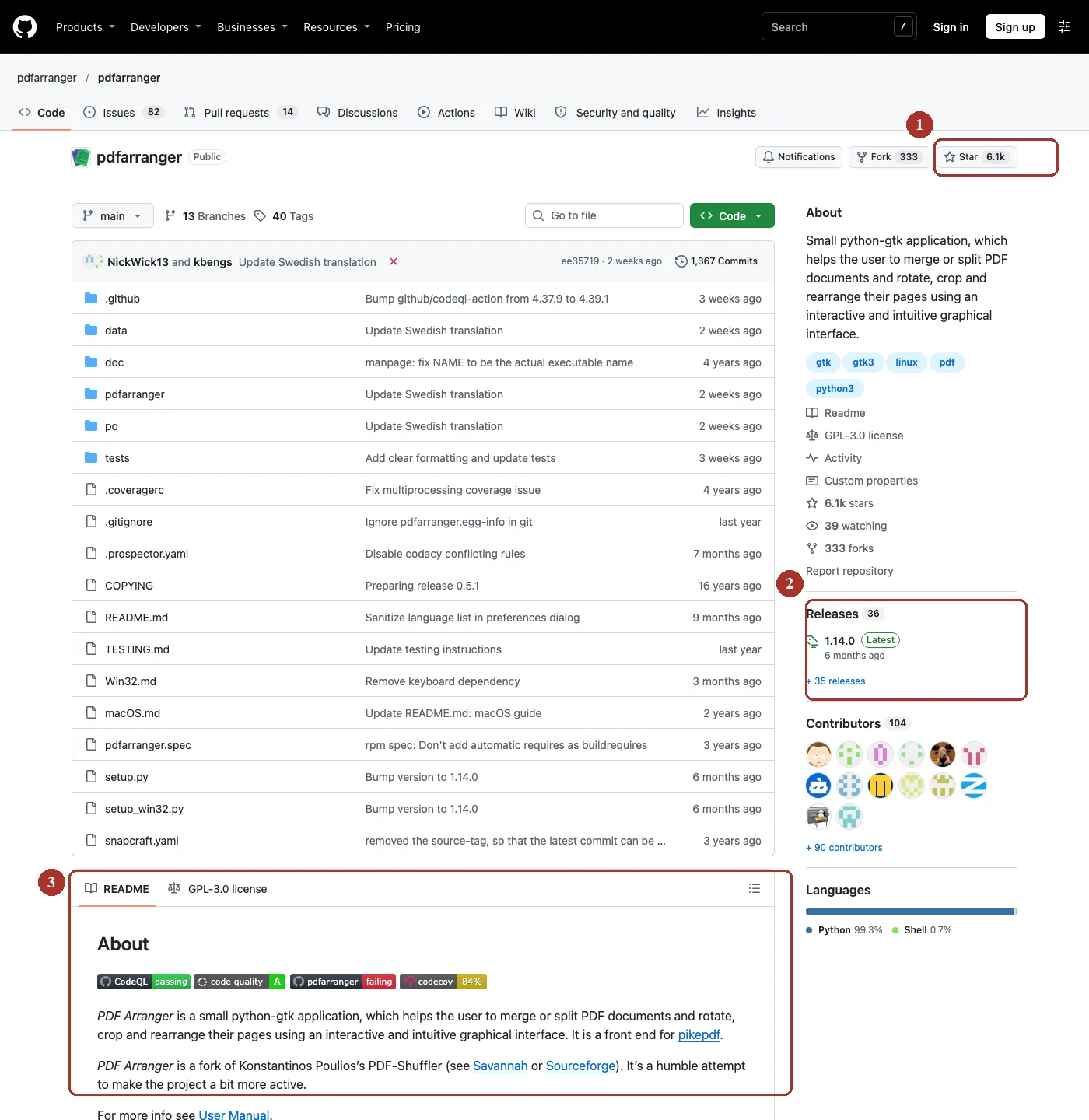
Ignore the folder list at the top; scroll down to
README.
That intimidating stack of files at the top of the page is the kitchen pantry—strictly for the chefs. Keep scrolling and you will reach theREADME, an illustrated introduction that serves as the actual shop window, complete with screenshots and plain-language descriptions. -
Glance at the
Starcount in the top-right corner.
Think of stars as the open-source equivalent of Michelin stars or well-thumbed reader ratings. A project sporting several thousand—or tens of thousands—of stars has been thoroughly stress-tested by finicky users across the globe, meaning it is far less likely to be a half-finished weekend whim. -
Resist the gleaming green
<> Codebutton; look forReleaseson the right.
This is the trap that catches almost every newcomer. That vivid green button looks irresistibly like a download button—yet unpack the zip file it hands you, and you will find yourself gazing blankly at unusable raw source files. It is rather like walking into a bakery for a croissant and being cheerily handed two kilos of flour, a packet of yeast, and a wiring diagram for an oven. The ready-to-install applications (.exefor Windows,.dmgfor Mac,.apkfor Android) sit quietly in the right-hand sidebar underReleases4.
II. First, Look Around: Starry Skies and Precision-Engineered Eggs
Once you have your bearings, resist the urge to hunt purely for utility. Stroll through the aisles first, just to see what sort of eccentric marvels programmers have been leaving on the shelves.
One of the loveliest surprises is Stellarium, a museum-grade desktop planetarium that costs precisely nothing5,6.
Enter your home city, and your screen transforms into a startlingly realistic real-time night sky: constellations, naked-eye planets, deep-sky nebulae, and even passing satellites neatly labelled overhead6. Better still, you can wind the clock forward or back at will—whether checking where the Milky Way will sit during next month’s countryside trip, or rewinding several centuries to inspect the exact night sky that hung over a distant town on a long-forgotten autumn evening6.

If a desktop planetarium reveals the romantic streak of open-source culture, HowToCook—a celebrated Chinese repository titled A Programmer’s Guide to Cooking at Home—captures its dry, deadpan humour7.
Traditional Chinese recipes often read like Zen riddles: “a pinch of salt,” “an appropriate splash of oil,” “stir-fry until just done.” Depending on the cook’s wrist, “a pinch” can fluctuate by roughly three orders of magnitude. Exasperated engineers decided to rewrite home cooking like laboratory documentation: millilitres of oil, grams of salt, exact seconds over heat, and pre-flight checklists. Should a reader follow the instructions and find the dish overly salty, they may submit a formal revision request for fellow cooks to peer-review7. Bringing braised pork belly and software bug-fixing into the same workflow is a feat unique to this corner of the internet.
If curiosity tempts you further, look out for GitHub’s enduring obsession with Awesome lists. Whenever developers fall in love with a subject, they feel an irresistible urge to compile an awesome-xxx directory of the finest resources on the web. The master index, sindresorhus/awesome, stretches far beyond computing into public-domain ebooks, high-resolution museum archives, music theory, and thoughtful podcasts8. Paired with GitHub Trending9 and GitHub Topics10, these human-curated lists feel startlingly clean in an era when ordinary search engines groan under sponsored links and clickbait.
III. Back to Everyday Life: Quiet Relief from the “Upgrade to Pro” Pop-Up
After the curiosities comes daily practicality. For ordinary users, GitHub’s greatest everyday gift is simple: quietly rescuing you from software that waits until the final click to demand a monthly subscription.
Consider a petty modern torment familiar to nearly everyone: tidying up a PDF.
You are submitting a visa form or a signed contract, and you merely need to merge two PDFs or rotate a single upside-down page. Search for a “free online PDF merger” and nine out of ten websites will gladly invite you to upload your documents—only to produce a polite paywall the moment you click Download, while leaving you mildly uneasy about where your scanned passport now resides.
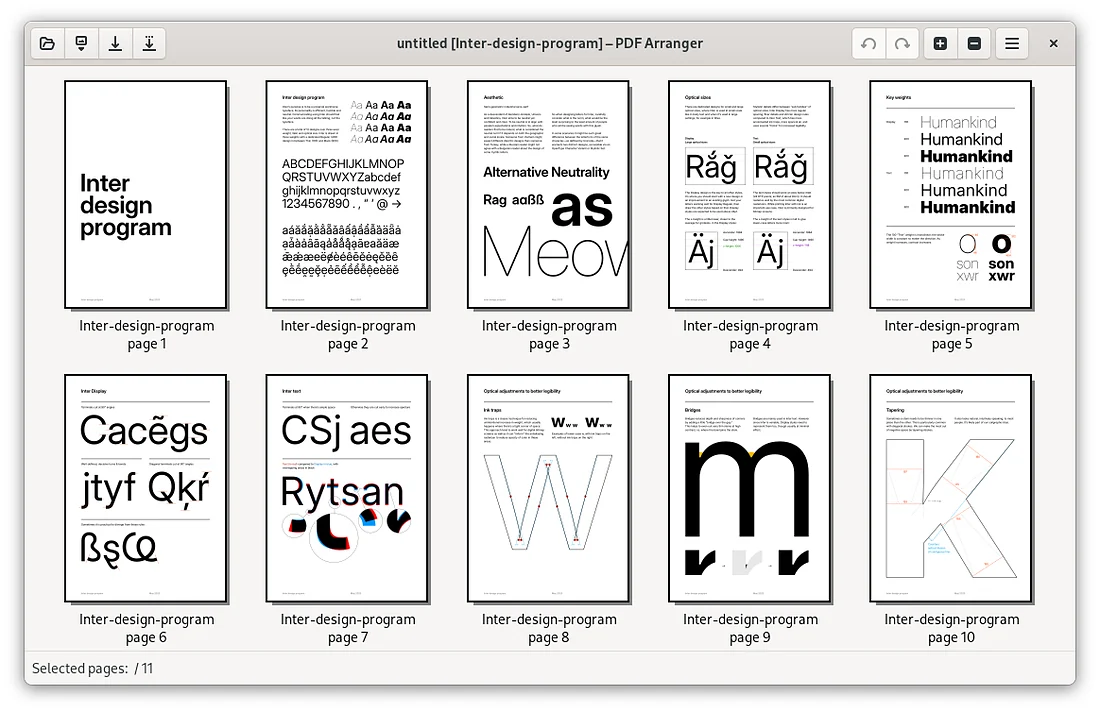
On GitHub lives a wonderfully modest desktop tool called PDF Arranger11. Once installed, it works entirely offline: drag your PDFs into the window and reorder, rotate, delete, or merge pages as effortlessly as shuffling a deck of playing cards11. No subscription, no watermark, and your personal paperwork never leaves your own hard drive.
Another daily nuisance is moving dozens of full-resolution photos from a phone to a computer. Sending them through messaging apps quietly crushes their image quality; uploading them to cloud drives invites download-speed throttling. LocalSend, an open-source favourite on GitHub, transfers original photos and hefty video files directly between iPhone, Android, Windows, and Mac over your home Wi-Fi—skipping cloud servers altogether, free of adverts, at the full speed of your router12.
For work and clearer thinking, the shelves are equally well stocked. When you need to map out a workflow, an article outline, or a family itinerary without wrestling with bloated corporate software, Excalidraw opens straight in your browser13. Its deliberately wobbly, hand-drawn lines lend diagrams a relaxed dignity—carefully thought through, yet mercifully free of management-consultant stiffness. And should you ever fancy putting a clean résumé, a family travel album, or a small personal publication online, GitHub Pages hosts static websites for free, sparing you both hosting bills and pop-up banners14.
IV. Two Keys for Beginners—and a Necessary Word of Caution
Even so, tossing someone with no technical background into an ocean of English developer repositories can still feel daunting. Fortunately, two handy keys have largely levelled the threshold.
The first is letting reliable curators do the sifting. For Chinese readers, the long-running monthly digest HelloGitHub hand-picks approachable, genuinely useful projects and explains them in plain language with animated previews15; in English, GitHub’s own curated Explore hub offers a gentle front door sorted by theme and collections16.
The second key is the AI assistant already sitting in your browser. Whenever you stumble across an intriguing repository buried in unfamiliar jargon, simply paste its link or README text into an AI chat and ask plainly: “What does this programme do, is it reputable, and which exact file under Releases matches my computer?” An intimidating engineering dossier turns instantaneously into a patient personal shopkeeper.
In fairness, GitHub is no flawless utopia.
Open-source tools run on volunteer enthusiasm rather than corporate targets. Interfaces can occasionally look as though they were assembled five minutes before the author dashed for a train; a treasured utility may fall silent overnight because its creator switched jobs, had a baby, or took up beekeeping. More importantly, any vast open-air bazaar attracts both dedicated craftspeople and dubious stalls. Before installing any programme, check for a healthy star count, public reputation, and recent maintenance—never invite an unverified executable onto your machine on impulse.
Yet even with all its quirks, in an internet steadily carved up by paywalls, algorithmic feeds, and nagging upgrade prompts, this slightly standoffish grey-and-white warehouse remains one of the last genuinely generous public squares online.
Millions of complete strangers still spend their spare evenings polishing practical tools, mapping the night sky, and measuring scrambled eggs to the gram—then leave them on a bench in the square with a polite little note attached:
“Help yourself; if anything squeaks, do leave a note.”
References · 16 entries
- GitHub. (n.d.). GitHub: Build and ship software on a single, collaborative platform. https://github.com
- Wikipedia. (n.d.). GitHub. In Wikipedia. https://en.wikipedia.org/wiki/GitHub
- GitHub. (n.d.). About GitHub. https://github.com/about
- GitHub Docs. (n.d.). About releases. https://docs.github.com/en/repositories/releasing-projects-on-github/about-releases
- Stellarium. (n.d.). Stellarium: A free open source planetarium for your computer [Software repository]. GitHub. https://github.com/Stellarium/stellarium
- Stellarium Developers. (n.d.). Stellarium Astronomy Software. https://stellarium.org
- Anduin2017. (n.d.). HowToCook: 程序员在家做饭方法指南 [Repository]. GitHub. https://github.com/Anduin2017/HowToCook
- Sorhus, S. (n.d.). Awesome: Awesome lists about all kinds of interesting topics [Repository]. GitHub. https://github.com/sindresorhus/awesome
- GitHub. (n.d.). Trending repositories on GitHub. https://github.com/trending
- GitHub. (n.d.). Topics on GitHub. https://github.com/topics
- PDF Arranger. (n.d.). pdfarranger: Small python-gtk application which helps the user to merge or split PDF documents [Software repository]. GitHub. https://github.com/pdfarranger/pdfarranger
- LocalSend. (n.d.). LocalSend: An open-source cross-platform alternative to AirDrop [Software repository]. GitHub. https://github.com/localsend/localsend
- Excalidraw. (n.d.). Excalidraw: Virtual whiteboard for sketching hand-drawn like diagrams [Software repository]. GitHub. https://github.com/excalidraw/excalidraw
- GitHub. (n.d.). GitHub Pages: Websites for you and your projects. https://pages.github.com
- 521xueweihan. (n.d.). HelloGitHub: 分享 GitHub 上有趣、入门级的开源项目 [Repository]. GitHub. https://github.com/521xueweihan/HelloGitHub
- GitHub. (n.d.). Explore GitHub. https://github.com/explore
Say Something